Host your game servers and web apps on the public internet — securely, without opening a single port at home. One GUI for Cloudflare Tunnels, WireGuard game-port DNAT and Kubernetes app ingress.
Public beta · v0.6.22
Web trafficbrowsers, players, clients
ProxyCTLtunnels · DNAT · rules
Your appsK8s Services, game pods
curl -fsSL https://proxyctl.cc/install.sh | bash
Cloudflare Tunnel for web apps. WireGuard + iptables for game ports. One UI for both. Runs on k3s (or any Kubernetes).
2traffic paths
1Go binary
0home ports open
$4/mo droplet
Why ProxyCTL
Stop hand-editing wg0.conf, iptables and cloudflared YAML. Click an app, click a target, click apply.
Cloudflare Tunnels, click-not-YAML
Hostname → app, one click. A web route is published as a Cloudflare Tunnel ingress rule — nothing is dropped next to your app. Cloudflare terminates TLS; cloudflared dials out from your cluster. No public ports. No certs to renew.
WireGuard game DNAT
Players hit a public droplet ($4/mo is plenty); ProxyCTL renders the droplet wg0.conf and the in-cluster wg-gateway rules so packets land on the right Service.
Domains managed in-app
Hook up a scoped Cloudflare API token and ProxyCTL writes the DNS itself — A records for game servers, proxied CNAMEs for web apps. Associate domains to servers in one app.
Live Kubernetes picker
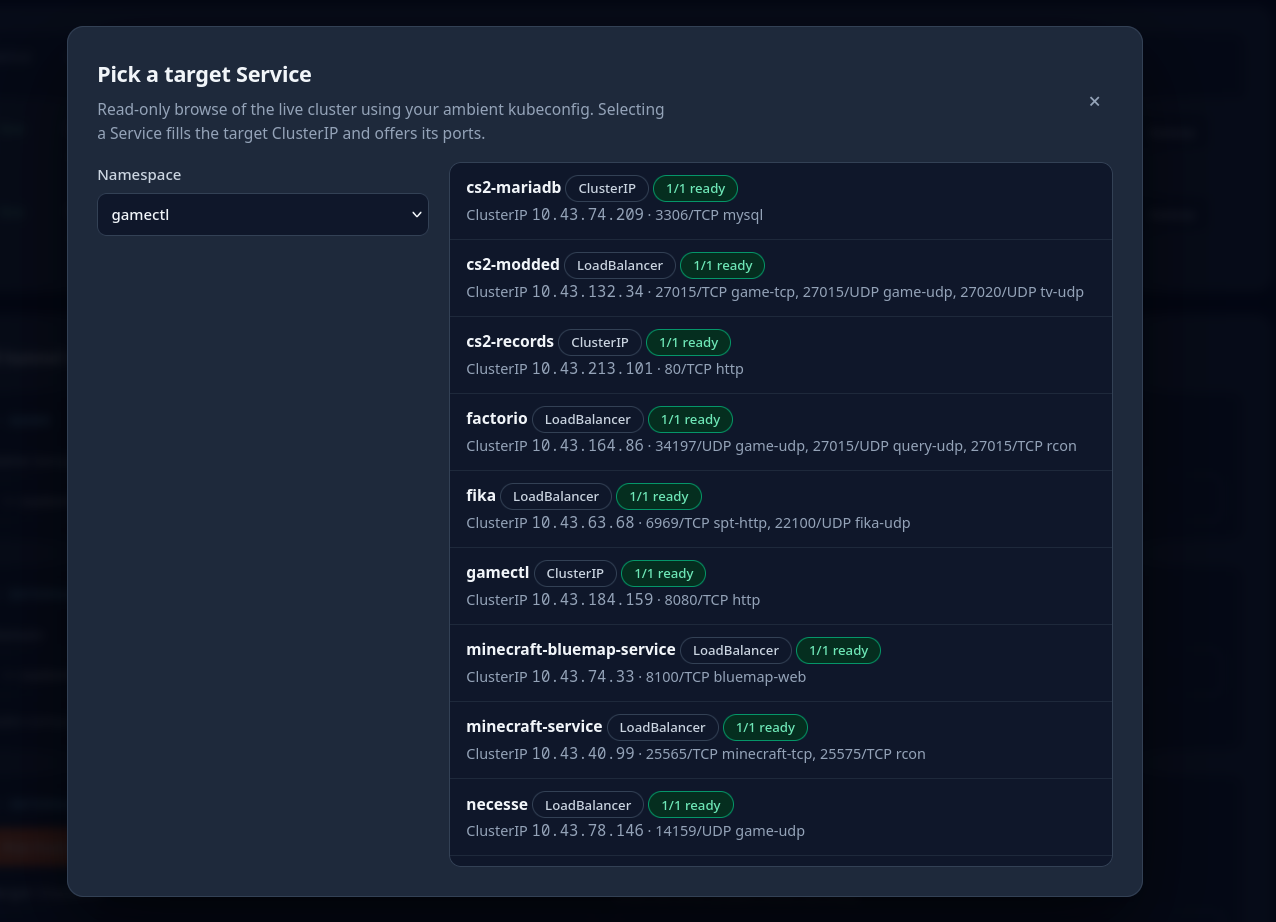
Browse namespaces and Services in your cluster, see ports + pod readiness, pick a target — no ClusterIP copy-paste.
Made for GameCTL
Running servers with GameCTL? ProxyCTL sees the Services it creates — pick one, pick the ports, Apply. Live per-tunnel counters show players connecting. GameCTL can also drive it from the server's own manage screen.
No inbound home ports
Your home network never exposes anything. The droplet and Cloudflare are the front door; everything dials out.
One Go binary
API + embedded UI in a single container. Stdlib HTTP, no plugin runtime, no agent to install on the target.
Its own key, not yours
ProxyCTL generates its own ed25519 droplet key at setup — the private half stays 0600 on its PVC, is never returned by an API, logged, or sent to the browser. It never holds your ssh-agent or your kubeconfig, and each WireGuard gateway self-generates its keypair so only the public half is ever read back.
No cluster-wide write
Cluster-scoped access is read-only — namespaces, Services, Pods, Endpoints for the target picker, node IPs for the NFS export line. Everything ProxyCTL deploys lives in its own namespace.
Nothing runs unattended
There is no reconcile loop. SSH and kubectl fire when you click Apply, and Apply is scoped to the half you're looking at — proxy entries or web apps.
See it
A real control plane — live tunnels with traffic counters, and a setup wizard that preps the droplet for you.
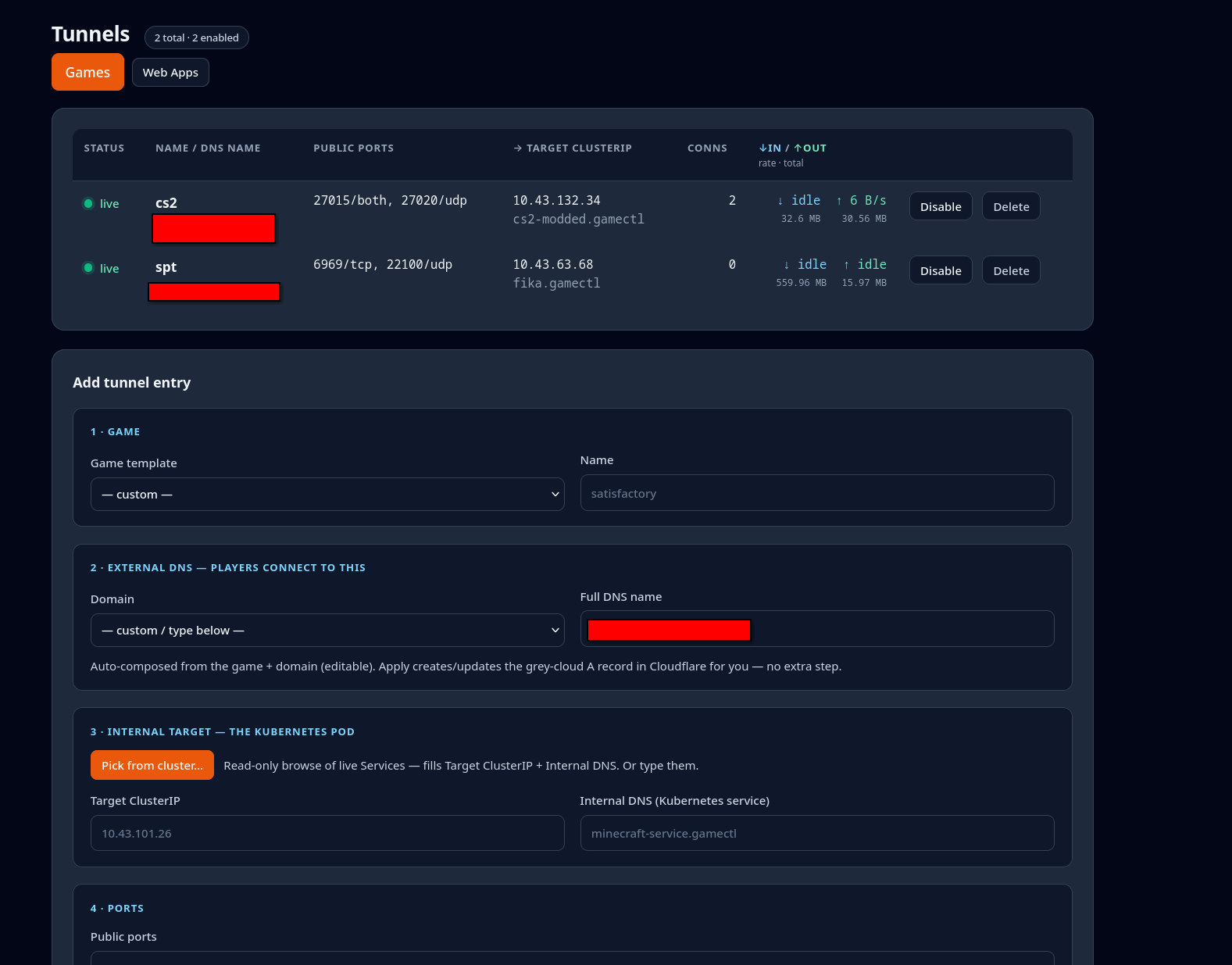
The Tunnels dashboard — live entries with per-tunnel traffic counters, plus the guided add-entry form: DNS, cluster target picker, ports. Entries are editable in place, so fixing a port doesn't re-key the tunnel.
The live target picker — browse your cluster's real Services with ports and pod readiness, click one, and the tunnel binds directly to the in-cluster Service. No NodePort, no port-forward hops.
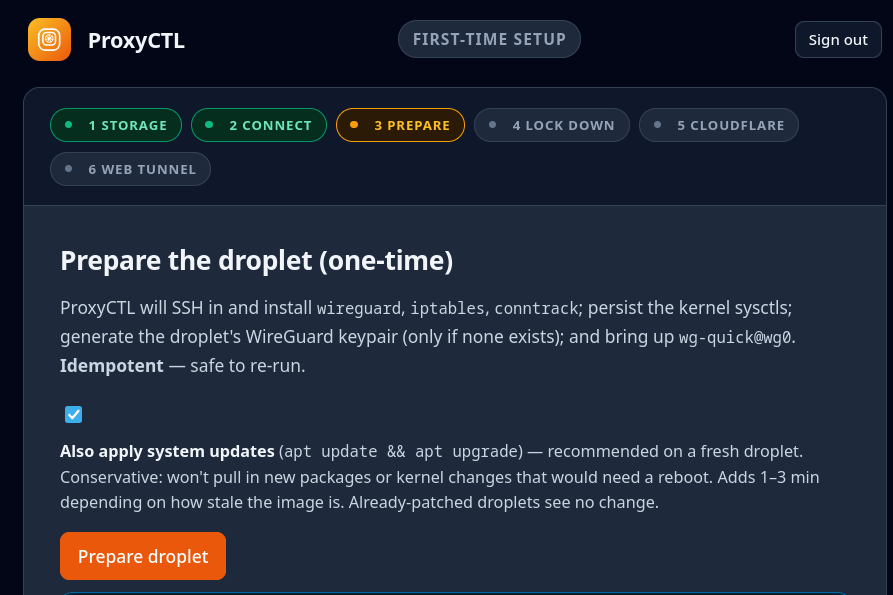
First-run setup — ProxyCTL SSHes into your $4 droplet with its own generated key and installs WireGuard, iptables and sysctls itself. Idempotent, one time.
How it fits together
Two real paths, one control plane: web traffic via Cloudflare, game traffic via WireGuard. ProxyCTL is the GUI that drives both.
Web traffic
Browser
Cloudflare edge TLS, DNS, DDoS
▼ tunnel (outbound from home)
ProxyCTL
renders & applies
cloudflared · wg0.conf · wg-gateway
Your apps
K8s web Services HTTP/HTTPS
Game Services UDP/TCP, ClusterIP
▲ via wg-gateway pod (10.8.0.2)
A game packet, end to end — the player connects to the droplet's public IP; iptables DNATs the port down an encrypted WireGuard tunnel the home cluster dialled OUTBOUND, so no port is ever opened at home. A per-game gateway pod NATs it onward to the game's ClusterIP Service.
Use cases
Anything you want online but don't want to expose at home.
Self-hosted web appsInternal dashboardsHTTP APIsGame servers (UDP/TCP)WebSocket servicesSSH bastions
ProxyCTL's sibling deploys and manages the game servers themselves — 24 games with guided wizards, live status, live RCON control panels and scheduled backups, on your own Kubernetes cluster. Deploy with GameCTL, publish with ProxyCTL; GameCTL's manage screen drives ProxyCTL directly, so publishing is a button on the server.
curl -fsSL https://gamectl.cc/install.sh | bash
gamectl.cc ↗ — same single-binary design, same one-command install.